# Advanced Calculation
# Advanced Calculation
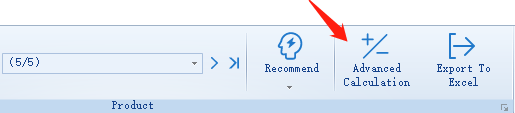
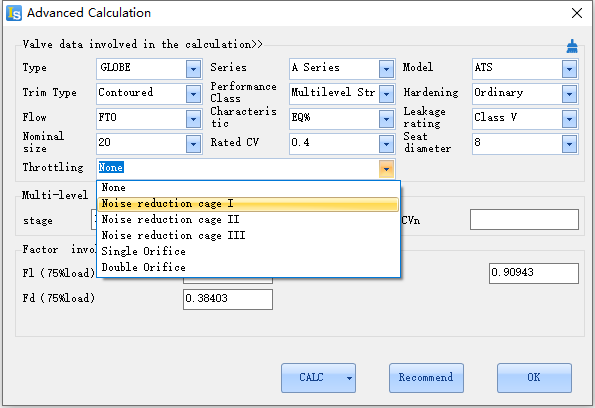
Click Advanced Calculation and the advanced calculation interface shows.
# Factors
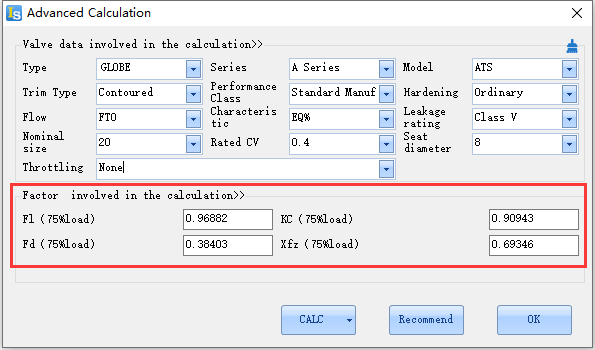
When the flow stage is LIQUID, after related options settled, the software will calculate factors like Fl,KC,Fd , Xfz automatically, the factors will effect on calculation of noise level.
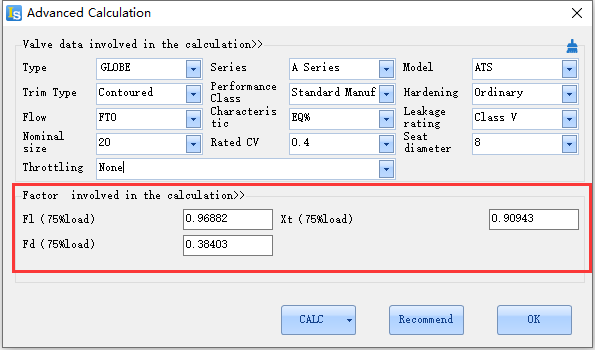
When the flow stage is Gaseous, after related options settled, the software will calculate factors likeFl,Xt,Fd, the factors will effect on calculation of noise level.
# Multi-stage structure
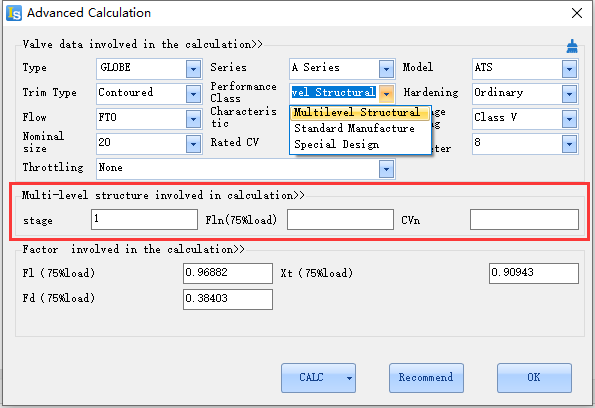
When Multilevel Structural was chose in Performance Class, the options of multi-stage structure will shows, the default pressure reduce stage is 1, the factors will change when pressure reducing stage changes, the range of reducing stage is 1~100.
# Throttling
When the flow stage is gas or steam, choose noise reduction cage for Throttling, it will effect on noise calculation results.
# Calculation
The input data and chosen conditions will be all involved in calculation when CALC button was clicked, which means that the software will calculate the CV value base on the model and other parameters specified in options.
# Recommend
Click Recommend button, the software will call the recommended interface according to the currently selected parameters, and recommend products of the specified model or size for you.
# OK
After all parameters in options selected, click OK button, then The software will self-guide the parameters of the options to the sizing interface.